One menu, both prices
Monthly and lifetime unlock the same Reforger build. Try monthly if the loader is new on your PC. Lifetime makes sense once you know you will keep playing.
Conflict-style lobbies can exceed 100 players, so knowing who is on your flank matters as much as raw aim. This Windows menu covers aimbot, player ESP, and misc settings with saved configs. Monthly is $35 for 31 days. Lifetime is $150 and is the best deal if you keep playing. Check Status before checkout.
Checkout
GREENCurrent build is listed under GREEN.Five months at $35 each is $175. Lifetime is $150 once.
Buy Arma Reforger CheatsDigital delivery. Same menu on both plans.
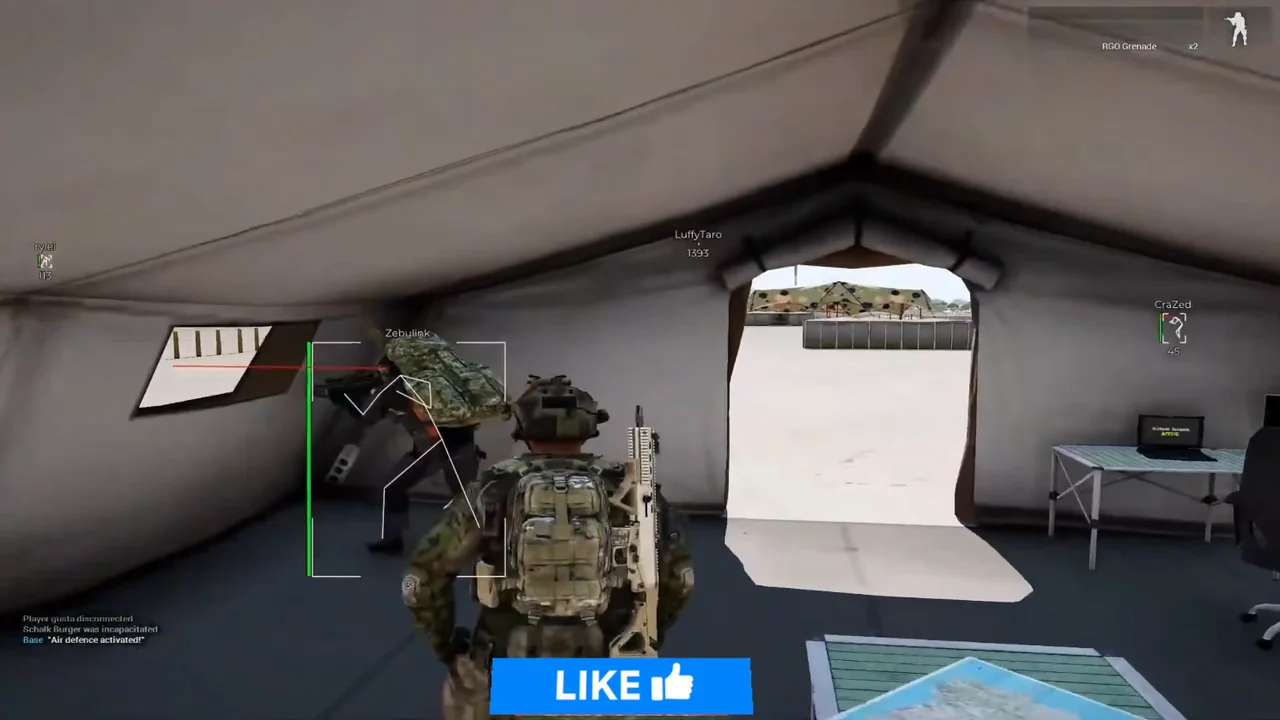
Gameplay stills with player ESP labels in Reforger fights. Swipe or use the arrows to browse the gallery on the product page.
1 / 7
What the Reforger license includes, how Status works, and where the control list lives.
One menu, both prices
Monthly and lifetime unlock the same Reforger build. Try monthly if the loader is new on your PC. Lifetime makes sense once you know you will keep playing.
Only what is listed
We do not add hidden modules after checkout. Every switch is named on the product and feature pages, including Cloud DMA on the requirements line.
Check Status first
Reforger patches can flip the label to RED even when your key dates are still valid. Load only on GREEN.
Setup after you pay
Delivery email first, then the fresh install forum thread for order of operations. Support is for paid orders when those steps fail.
The Status page is the current label. The purchase card shows the same label.
Open Status pageGREEN
Current build is listed under GREEN.
What the label is not
GREEN only means today's published file is cleared for load. It is not a ban guarantee, and RED can follow a Reforger update without refunding your key automatically. Read the buyer's guide for account risk.
Three modules on one menu: aimbot, player ESP, and misc. Monthly and lifetime include the same controls. Open a module page for sections, FAQs, and each published switch.
All features comparedEnable aimbot, bind a key, pick a bone, and choose hold or always-on. Adaptive FOV, draw helpers, smoothness, and max distance are all listed in the menu.
Style the overlay, draw boxes and skeletons, show health and names, and filter by team. Every label toggle is separate.
Menu and unload keys, DPI and FPS limits, watermark, language, and named configs you can create, load, rename, or delete.
Monthly and lifetime include all 31 published controls. Tap a name to jump to that control on the module page.
Enable Aimbot, Custom Aim Key, Target bone, Type, Adaptive FOV, Draw FOV Border, Draw FOV Background, FOV Size, Smoothness, Max distance
ESP Style, Bounding box, Fill box, Line to enemy, Health bar, Skeleton, Name, Current weapon, Team name, Distance, Show team
Menu keybind, Unload keybind, DPI Scale, FPS Limit, Watermark, Language, Create config, Load config, Rename config, Delete config
Match the line before you pay. Lifetime does not widen the list.
Published requirements
Listed as supported
Not on the requirements line
Same full menu on both plans. Monthly is a fair way to prove the loader on your PC. Lifetime is the better buy if you keep playing: five monthly renewals are $175, and you stop paying after one $150 checkout.
Five months at $35 each is $175. Lifetime is $150 once.
Try monthly
$35
31 days. Good way to test the loader on your PC.
Best deal
Best deal
$150
One payment. Best deal if you play regularly.
Checkout is digital. The delivery note has the loader and the menu key. Open the game first on a GREEN day, then follow the fresh install thread unless your note lists a different bind.
Fresh install threadOpen the Status page before you pay and again before you load. GREEN means the current build is listed for load. RED means wait.
Windows 10 or 11, Intel or AMD, security features on, and Cloud DMA ready for full functionality.
Monthly is $35 for 31 days and is a solid first step if the loader is new on your PC. Lifetime is $150 once. If you keep playing, lifetime beats paying $35 every 31 days.
Pay on checkout. The delivery note goes to your order email with loader access. The menu opens with the key from that note unless it lists another bind. Only use the file from your own order.
Game open, label on GREEN, one load, then open the menu with the key from the delivery note. The setup guide covers the order. The troubleshooting guide comes before support if something fails.
What to send support
The troubleshooting guide covers delivery, loader, and menu problems in order. Support wants the checklist above.
Refunds and risk
A missing delivery or a long RED window during your license can qualify on the Refunds page. Bans and gameplay outcomes do not. The Terms of Use and the buyer's guide state the anti-cheat risk in plain words.
Feature pages, guides, and blog posts that go deeper than this checkout page.
Short answers on modules, Cloud DMA, configs, and what to do when Reforger patches.
A Windows overlay menu sold for Arma Reforger with aimbot, player ESP, and misc settings, including saved configs. It does not cover Arma 3.
Aimbot, player ESP, and misc. Misc covers menu and unload keys, DPI scale, FPS limit, watermark, language (EN, RU, CN), and create, load, rename, and delete config. If a control is not written on the product or feature pages, it is not part of this listing.
Yes. Misc includes create, load, rename, and delete config so you can save profiles instead of resetting toggles by hand.
Windows 10 or 11, Intel or AMD, HVCI, Core Isolation, TPM, and Secure Boot left on, plus Cloud DMA for full functionality.
Read the product page, confirm requirements including Cloud DMA, check Status, then follow the fresh install forum thread after checkout.