
Aimbot controls
Enable Aimbot
Master switch for the section. With it off, none of the other aim controls apply, and player ESP plus misc run as normal.
Custom Aim Key
The key that activates aim help when Type is set to on hold, or the key paired with always-on behaviour as listed in the menu.
Target bone
Head, Neck, Body, or Pelvis. Sets where on the player the aim settles, not who gets picked first.
Type
On hold runs aim help only while you press the aim key. Always keeps it active whenever Enable Aimbot is on.
Adaptive FOV
Adjusts how the FOV behaves based on the menu logic for adaptive targeting. Pair it with FOV Size so you can see the effect.
Draw FOV Border
Draws an outline around the FOV area on screen so you can see the zone aim help uses.
Draw FOV Background
Fills the FOV area with a background tint. Independent from the border draw.
FOV Size
How wide the aimbot search area is around your crosshair. Targets outside that area are ignored.
Smoothness
How gradually the crosshair moves once a target is picked. Lower values snap faster. Higher values ease in.
Max distance
Stops the aimbot from picking players beyond the distance you set, even when ESP still draws them.
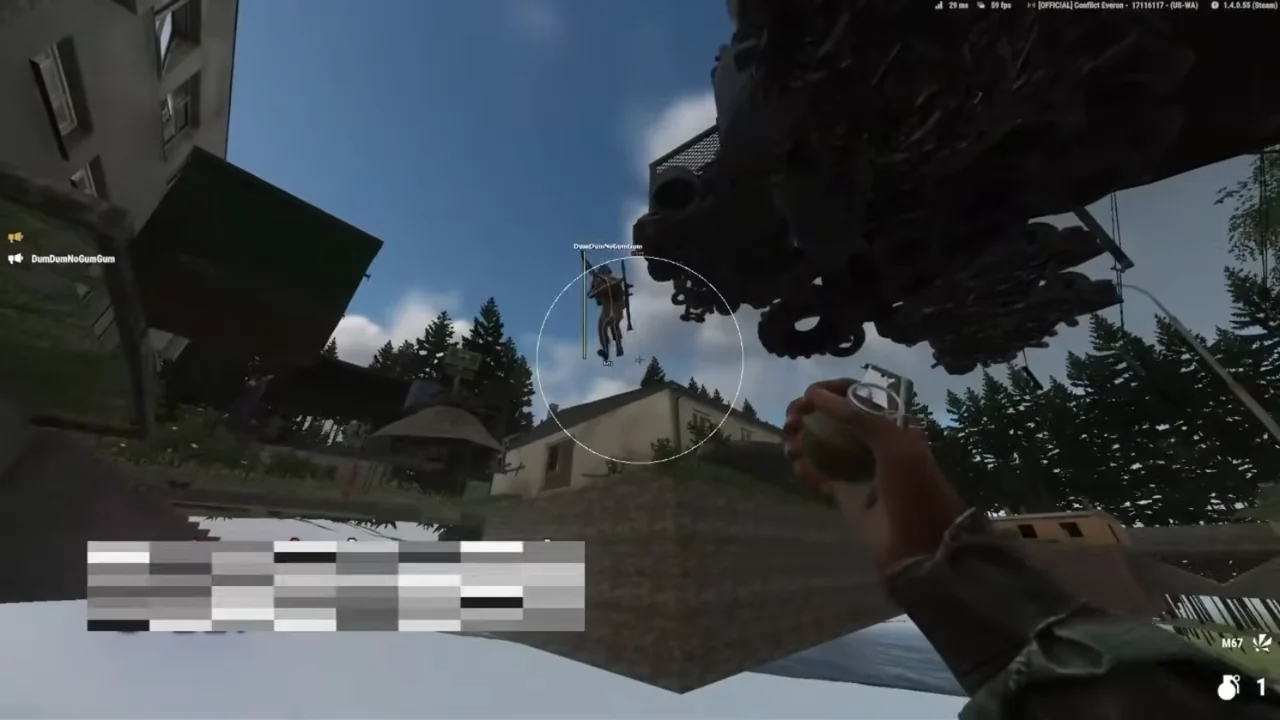
Hold vs always-on
On hold fits fights where you only want help while you press the aim key. Always is for players who want the aimbot active whenever the master switch is on.
If movement feels wrong, change smoothness and FOV Size before you flip Type. A wide FOV with low smoothness on always can feel harsh even when the settings are doing exactly what they say.
FOV draws are for tuning
Draw FOV Border and Draw FOV Background are visual aids. They do not change who gets picked. Use them while you set FOV Size and Adaptive FOV, then turn the draws off if you want a cleaner screen.
Works well with
Related reading
Arma Reforger Aimbot questions
Can I use player ESP without the aimbot?
Yes. Turn Enable Aimbot off and player ESP plus misc still run.
Does the aimbot pick through walls?
Only controls listed on this page exist in the menu. We do not list a separate visible-only toggle here.
Aimbot ships with the full menu
One license covers every module. Monthly is $35 for 31 days. Lifetime is $150.
Around the site
Status, checkout, and the guides that sit around this module.